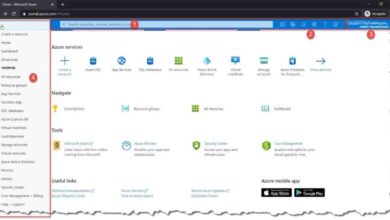
Want to predict your cloud spending with precision? The Azure Cost Calculator is your ultimate tool for estimating, planning, and optimizing Microsoft Azure costs—before you deploy a single resource.
What Is the Azure Cost Calculator?

The Azure Cost Calculator is an essential online tool provided by Microsoft that allows businesses, developers, and IT decision-makers to estimate the monthly cost of using Azure cloud services. Whether you’re planning a migration, scaling an existing environment, or launching a new application, this calculator gives you a clear, itemized forecast of your potential cloud expenses.





Unlike generic pricing estimators, the Azure Cost Calculator is deeply integrated with Microsoft’s service catalog, offering real-time pricing data across compute, storage, networking, databases, AI, and more. It’s designed to be intuitive, yet powerful enough to support complex enterprise architectures.
How the Azure Cost Calculator Works
The tool operates on a modular basis—users select specific Azure services (like virtual machines, blob storage, or Azure Functions), configure them with region, size, usage patterns, and redundancy options, and the calculator instantly generates a cost estimate.
Each configuration choice directly impacts the final price. For example, selecting a premium SSD over a standard HDD in Azure Disk Storage will reflect higher monthly costs. Similarly, choosing a region like West US versus East Asia may show price differences due to local data center operational costs.
Microsoft updates the underlying pricing data regularly, ensuring that estimates remain accurate and reflective of current market rates and regional variances.
Key Features of the Azure Cost Calculator
The Azure Cost Calculator isn’t just a simple price lookup tool—it’s packed with features that make it indispensable for cloud financial planning.
- Real-Time Pricing: Pulls live pricing data directly from Microsoft’s service catalog.
- Multi-Service Support: Covers over 200 Azure services, from VMs to Cognitive Services.
- Export Options: Allows users to export estimates as PDF or CSV for sharing with stakeholders.
- Shared Scenarios: Enables collaboration by generating shareable links to your cost models.
- Integration with Azure Pricing APIs: Developers can automate cost estimates using REST APIs.
One of the most powerful features is the ability to create multiple scenarios—like development, staging, and production environments—and compare them side-by-side. This helps organizations identify cost-saving opportunities before deployment.
“The Azure Cost Calculator helps teams avoid costly surprises by providing transparency into cloud spend from day one.” — Microsoft Azure Documentation
Why Use the Azure Cost Calculator?
Cloud cost overruns are one of the top reasons organizations struggle with digital transformation. Without proper planning, a simple proof-of-concept can spiral into a six-figure monthly bill. The Azure Cost Calculator acts as a financial guardrail, helping teams make informed decisions before committing resources.
It’s especially valuable for startups and mid-sized companies without dedicated FinOps teams. By using the calculator, even non-financial stakeholders can understand the cost implications of technical decisions.
Prevent Budget Overruns
One of the biggest advantages of the Azure Cost Calculator is its ability to prevent unexpected expenses. By modeling your architecture in advance, you can identify high-cost components and explore alternatives.
For example, you might discover that using Azure Reserved VM Instances instead of pay-as-you-go can save up to 72% over three years. Or that switching from Azure SQL Database to Azure Database for PostgreSQL could reduce database costs by 40%.
These insights allow teams to optimize their designs for cost efficiency without sacrificing performance.
Support Strategic Decision-Making
IT leaders and CTOs can use the Azure Cost Calculator to compare cloud vs. on-premises TCO (Total Cost of Ownership). By inputting equivalent workloads, they can build compelling business cases for cloud adoption.
Additionally, the tool supports scenario planning for seasonal demand spikes—like retail during Black Friday or SaaS platforms during product launches. You can model auto-scaling behavior and estimate costs under peak load, ensuring your budget aligns with business needs.
This level of foresight is critical for securing executive buy-in and avoiding last-minute funding requests.
How to Use the Azure Cost Calculator: Step-by-Step Guide
Using the Azure Cost Calculator is straightforward, but mastering it requires attention to detail. Here’s a comprehensive walkthrough to help you get the most accurate estimates.
Step 1: Access the Tool
Visit the official Azure Cost Calculator page. No login is required to start building estimates, though signing in with a Microsoft account allows you to save and share your projects.
The interface is clean and responsive, with a left-hand panel for adding services and a right-hand summary showing total estimated monthly cost.
Step 2: Add Azure Services
Click “Add” to begin selecting services. You can search by name (e.g., “Virtual Machines”) or browse categories like Compute, Storage, Networking, Databases, AI + Machine Learning, and more.
Once you select a service, you’ll be prompted to configure it. For example, when adding a Virtual Machine, you’ll choose:
- Instance type (e.g., B2s, D4s v3)
- Region (e.g., East US, West Europe)
- Operating system (Windows or Linux)
- Number of instances
- Hours of usage per month
Each selection updates the cost in real time, giving immediate feedback on pricing impact.
Step 3: Refine Your Configuration
After adding core services, refine your model for accuracy. For example:
- Adjust storage redundancy (LRS vs. GRS)
- Enable or disable backup and disaster recovery options
- Set data transfer volumes (inbound vs. outbound)
- Add load balancers or application gateways
- Include monitoring with Azure Monitor or Log Analytics
Be mindful of hidden costs—like data egress fees, which can add up quickly if your application serves large files globally. The calculator includes these by default when you specify data transfer amounts.
Advanced Tips for Maximizing Accuracy
While the Azure Cost Calculator is user-friendly, inaccurate inputs lead to misleading estimates. To ensure your projections are as close to reality as possible, follow these expert tips.
Use Realistic Usage Patterns
Many users make the mistake of assuming 24/7 usage for all VMs. In reality, development and testing environments may only run 40 hours per week. Adjust the “Hours per month” field accordingly to reflect actual operational schedules.
For serverless workloads like Azure Functions, estimate the number of executions and execution duration. The calculator uses this to compute consumption-based costs accurately.
Similarly, for databases, input expected DTU (Database Transaction Units) or vCore usage based on historical benchmarks or performance testing.
Leverage Pricing Tiers and Discounts
The Azure Cost Calculator includes options for reserved instances, hybrid benefits, and spot pricing. These can drastically reduce costs but are often overlooked.
- Azure Reserved VM Instances: Commit to 1- or 3-year terms for up to 72% savings.
- Hybrid Benefit: If you have existing Windows Server or SQL Server licenses with Software Assurance, you can save up to 40% by applying them in Azure.
- Spot VMs: Use for fault-tolerant workloads to access unused capacity at up to 90% off regular prices.
Make sure to toggle these options in the calculator to see potential savings.
“Accurate cost modeling isn’t about guessing—it’s about configuring your estimate to mirror your real-world usage.” — Cloud Financial Analyst, Gartner
azure cost calculator vs. Other Azure Pricing Tools
Microsoft offers several tools for cost estimation and management. While they overlap in functionality, each serves a distinct purpose. Understanding the differences helps you choose the right tool for your needs.
Azure Pricing Calculator vs. Total Cost of Ownership (TCO) Calculator
The Azure Cost Calculator (also known as the Pricing Calculator) focuses on estimating the cost of Azure services for a given architecture.
In contrast, the Azure TCO Calculator compares the cost of running workloads on-premises versus migrating to Azure. It factors in hardware, power, cooling, IT labor, and downtime to build a comprehensive financial case for cloud migration.
Use the TCO Calculator when seeking executive approval for cloud adoption. Use the Azure Cost Calculator when designing specific cloud environments.
Azure Cost Management + Billing vs. Cost Calculator
The Azure Cost Management tool is for monitoring and optimizing costs *after* deployment. It provides dashboards, budgets, alerts, and recommendations based on actual usage.
The Azure Cost Calculator, on the other hand, is for *pre-deployment* planning. It’s forward-looking, while Cost Management is retrospective.
Together, they form a complete FinOps lifecycle: plan with the calculator, deploy, then optimize with Cost Management.
Common Mistakes When Using the azure cost calculator
Even experienced cloud architects can fall into traps when using the Azure Cost Calculator. Avoiding these common errors ensures your estimates are reliable and actionable.
Ignoring Data Transfer Costs
Data egress (outbound data transfer) is one of the most underestimated cost factors. While inbound data is free, outbound traffic—especially to the internet or cross-region transfers—can add significant charges.
For example, transferring 10 TB of data from Azure East US to users in Asia could cost over $500/month. Always input realistic egress volumes in the Networking section of the calculator.
Overprovisioning Resources
It’s tempting to select high-performance VMs “just to be safe.” But overprovisioning can inflate costs unnecessarily. A D8s v3 VM costs roughly 4x more than a D4s v3—do you really need that power?
Use the calculator to test different VM sizes and scale-out strategies. Sometimes, running two smaller VMs is cheaper and more resilient than one large one.
Also, consider auto-scaling groups. The calculator allows you to estimate average vs. peak usage, helping you right-size your infrastructure.
Integrating the azure cost calculator into DevOps and FinOps
Modern cloud organizations are adopting FinOps (Financial Operations) practices to bring financial accountability to cloud spending. The Azure Cost Calculator plays a key role in this cultural and technical shift.
Embedding Cost Awareness in Development
Traditionally, developers focused on performance and features, not cost. But in the cloud era, every technical decision has a financial impact.
Teams can use the Azure Cost Calculator during sprint planning to estimate the cost of new features. For example, adding a real-time analytics dashboard using Azure Stream Analytics and Power BI can be modeled upfront.
Some organizations even require developers to submit a cost estimate alongside their pull requests. This fosters a culture of cost ownership and prevents “shadow cloud” spending.
Automating Cost Estimation with APIs
For advanced users, Microsoft provides a Cost Management API that can be used to programmatically retrieve pricing data.
While the Azure Cost Calculator itself doesn’t have a direct API, you can use the Azure Pricing API to build custom cost estimation tools integrated into CI/CD pipelines or internal developer portals.
For example, a Terraform module could call the pricing API to display estimated monthly costs before applying infrastructure changes.
Real-World Use Cases of the azure cost calculator
The true value of the Azure Cost Calculator becomes clear when you see how organizations use it in practice. Here are three real-world scenarios.
Startup Launching a SaaS Platform
A startup building a SaaS product used the Azure Cost Calculator to model their MVP (Minimum Viable Product). They estimated costs for:
- 5 Azure App Service instances ($200/month)
- Azure SQL Database (Standard tier, $150/month)
- Azure Blob Storage for user uploads ($50/month)
- Azure CDN for static assets ($30/month)
- Azure Active Directory B2C for authentication ($100/month)
Total estimated cost: ~$530/month. This helped them secure seed funding with a clear financial roadmap.
Enterprise Migrating Legacy Workloads
A Fortune 500 company planning a data center exit used the calculator to model the cost of migrating 200 virtual machines to Azure. They compared:
- Pay-as-you-go pricing
- 1-year reserved instances
- 3-year reserved instances with Hybrid Benefit
The calculator revealed a 60% cost reduction over five years with 3-year reservations and license reuse—justifying the migration budget.
Educational Institution Deploying Online Learning
A university launching an online learning platform used the calculator to estimate costs during peak exam periods. They modeled:
- Auto-scaling VMs for their LMS (Learning Management System)
- High-availability databases
- Video streaming with Azure Media Services
- Content delivery via Azure CDN
By simulating 10,000 concurrent users, they ensured their budget could handle seasonal spikes without overspending.
What is the Azure Cost Calculator used for?
The Azure Cost Calculator is used to estimate the monthly cost of running cloud services on Microsoft Azure. It helps users plan budgets, compare pricing options, and avoid unexpected expenses by modeling workloads before deployment.
Is the Azure Cost Calculator free to use?
Yes, the Azure Cost Calculator is completely free. No Azure subscription or payment information is required to access or use the tool.
Can I save my cost estimates in the Azure Cost Calculator?
Yes, if you sign in with a Microsoft account, you can save your estimates, share them with team members via link, and export them as PDF or CSV files for reporting.
Does the Azure Cost Calculator include all Azure services?
It includes most major Azure services, covering compute, storage, networking, databases, AI, IoT, and more. However, some niche or preview services may not be available. Microsoft regularly updates the tool to add new services.
How accurate are the estimates from the Azure Cost Calculator?
Estimates are highly accurate for standard configurations and known usage patterns. However, real-world costs may vary due to dynamic factors like auto-scaling, unexpected traffic spikes, or changes in service pricing. It’s best used for planning, not exact billing prediction.
Mastering the Azure Cost Calculator is a critical skill for anyone involved in cloud planning. It transforms guesswork into data-driven decisions, empowers teams to optimize spending, and supports strategic cloud adoption. Whether you’re a developer, architect, or CFO, this tool provides the financial clarity needed to succeed in the cloud era. Use it early, use it often, and integrate it into your decision-making workflows for maximum impact.
Recommended for you 👇
Further Reading: